AI Editor
Open the editor from Window > Aethiumian AI > AI Editor, then select a BehaviourTreeData asset. The toolbar provides Graph, Nodes, Variables, and Properties pages, plus refresh, settings, and maintenance commands.
Windows and preferences
- Each
BehaviourTreeDataopens in its own AI Editor window. Opening a tree that is already open focuses its window. - The node clipboard is shared between windows, so nodes copied in one tree can be pasted into another.
- When no tree is selected,
Create New Behaviour Treecreates an asset. If the current selection is a GameObject, the editor adds or reuses itsAIcomponent and assigns the new tree whenAI.Datais empty. - Editor preferences are under
Edit > Preferences > Aethiumian AI > AI Editor, or the toolbarSettingsbutton.
Graph
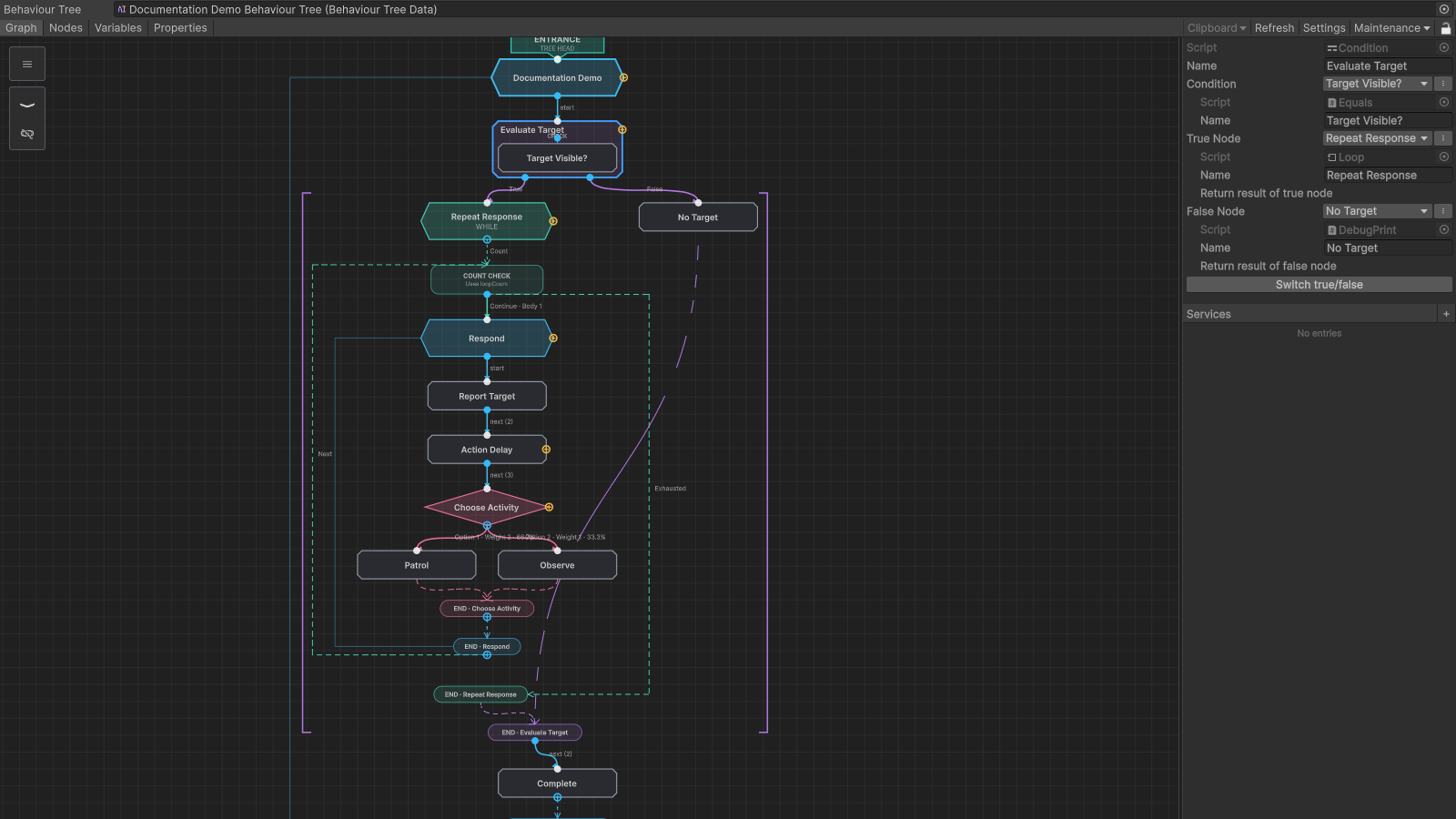
The Graph page shows the reachable execution flow and the selected node inspector in one workspace. It supports:
- pan with the middle mouse button or Alt + left mouse button, and zoom with the wheel;
- single selection, box selection, grouped dragging, duplication, and deletion;
- node search and creation, compatible-port insertion, and connection;
Set as Headto change the root node, and drag to reorder ordered references;- context menus, shared clipboard operations between editor windows, and explicit Auto Layout.
Select a node to edit its fields in the right-hand inspector. Control-flow nodes expose ordered outputs, branch nodes expose separate result paths, and services are drawn on a side rail beside their host subtree.
Nodes
The Nodes page lists the tree as a hierarchical overview with an inspector for the selected node. It edits the same tree data as Graph.
Variables
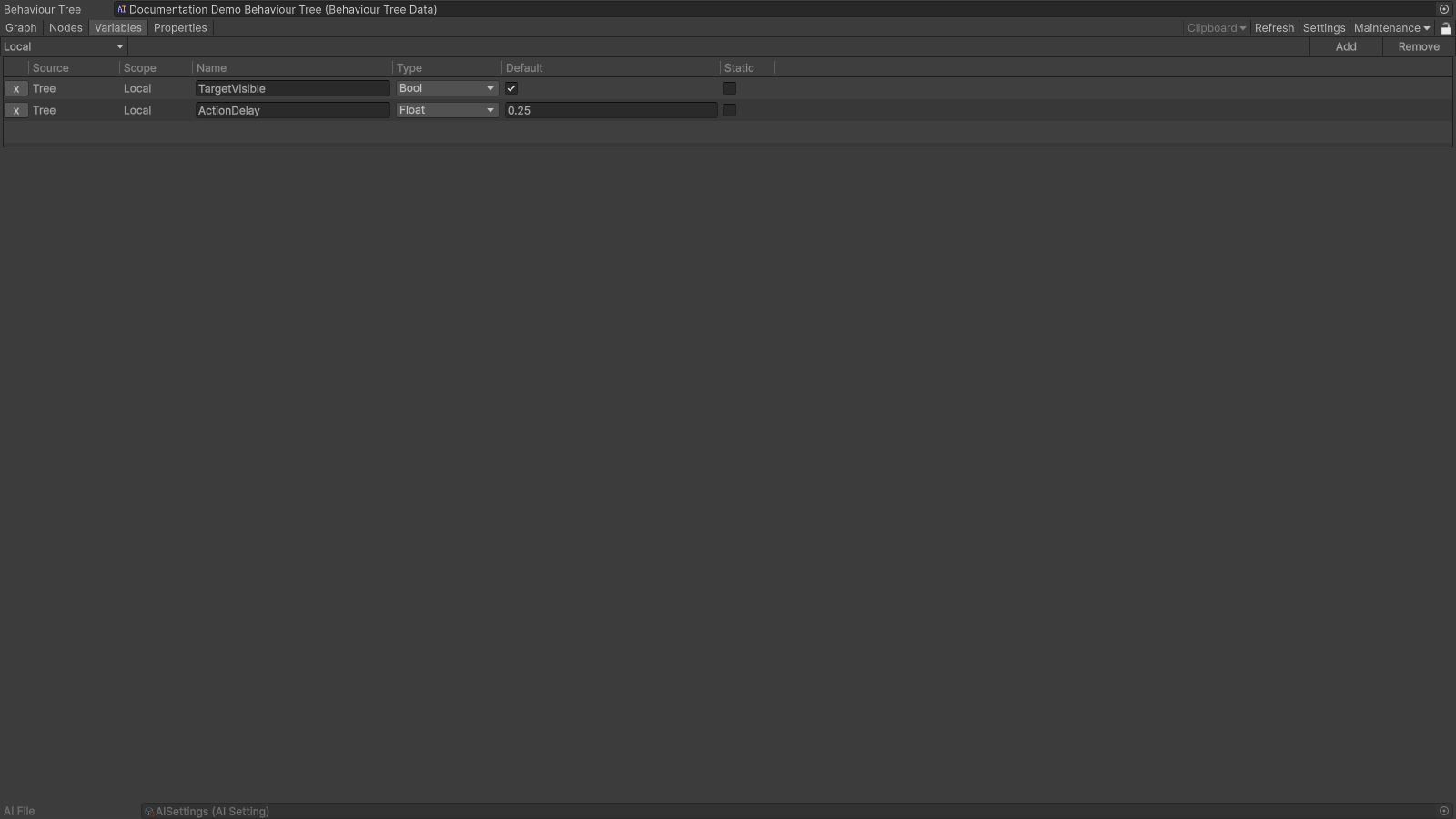
The Variables page defines the tree-level values available to nodes. Each row has a name, type, default value, scope, and static option. Variable names must be unique within a tree. See Variables for the supported types.
Properties
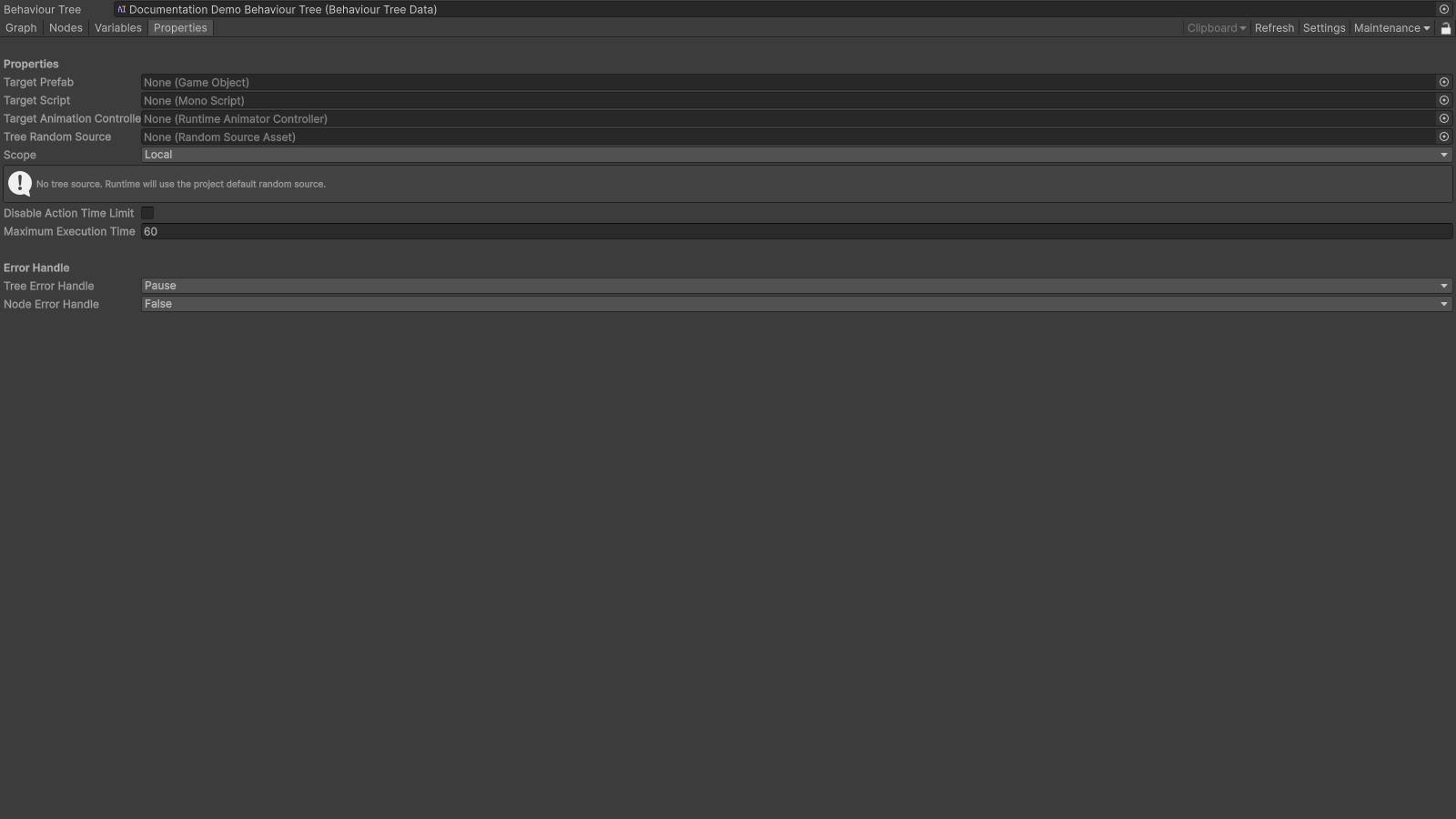
The Properties page configures integration and execution settings, including the target script, target prefab, random source, scope, action timeout, and error-handling policies.
Graph positions live in a separate editor-only layout. Opening or refreshing a tree preserves existing coordinates and should not modify the behaviour tree asset.