Troubleshooting
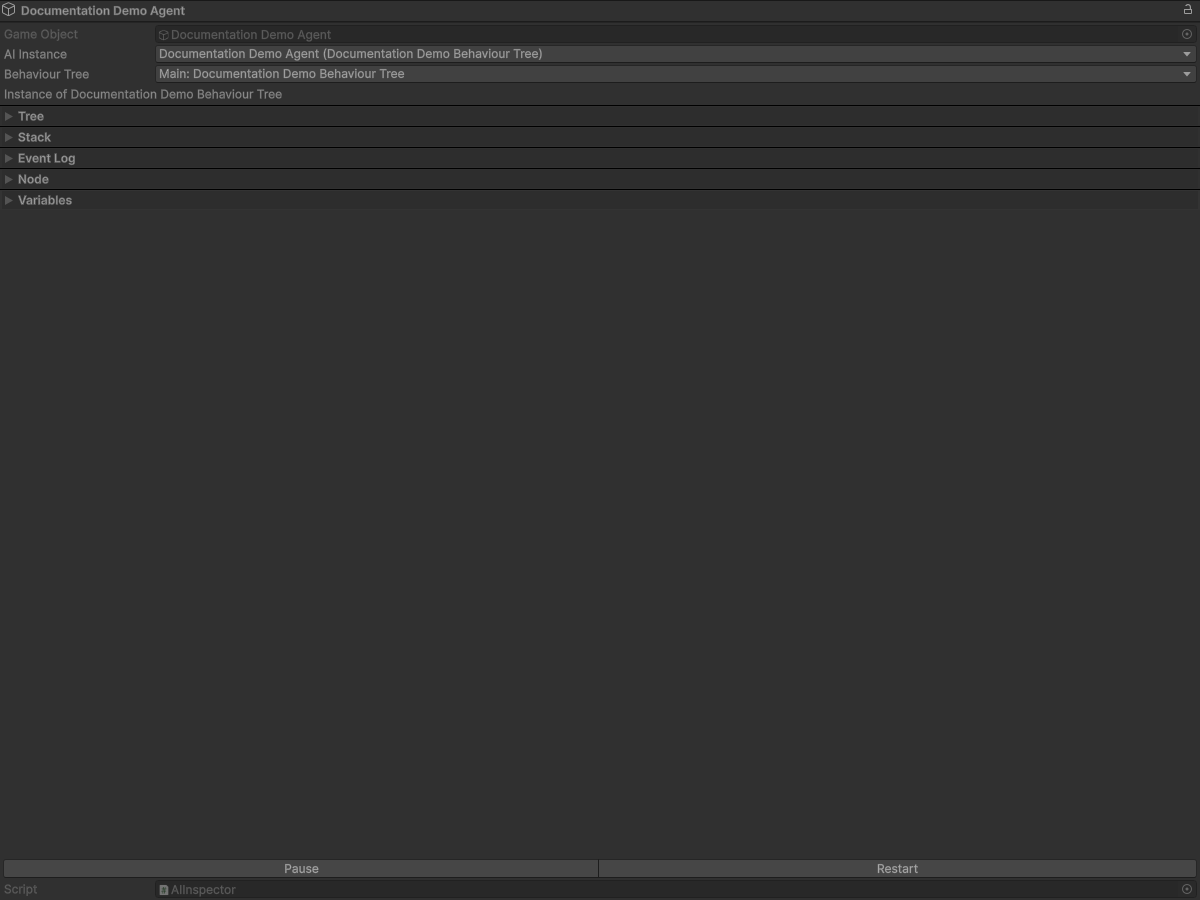
Quick checklist
- Verify the target
GameObjecthas anAIcomponent with a validBehaviourTreeDatareference. - Confirm the expected
AIinstance is selected and currently running in Play Mode. - If a tree was edited during runtime, call
Reload Behaviour Treebefore re-testing. - Confirm the tree that is currently active is the one you expect to observe.
- Open the Console first and check for import/runtime warnings before changing logic.
AI Inspector and runtime controls
The AI Inspector and component context menu expose the following runtime controls: Start Behaviour Tree, Reload Behaviour Tree, Pause, Resume, and End.
Use these controls from the live GameObject that owns the active behaviour tree.
Reload, Pause, Resume, Restart semantics
Reload Behaviour Tree: ends the current runtime tree instance and recreates the tree from its serialized asset data. IfautoRestartis false, this does not auto-start execution. IfautoRestartis true, the AI runtime may start again according to that setting.Pause: keeps the current execution state and stops automatic Unity lifecycle forwarding. It does not freeze physics, coroutines, or animation.Resume: restores automatic lifecycle forwarding without rebuilding the tree or clearing a fault.Restart(editor/runtime restart action): performs aReload Behaviour Treeoperation.
In addition to controls:
Pauseflow node: pauses its owningAI; the current automatic runner turn ends after the node result, and a later tick can continue the tree.Restartflow node: reloads the currently running tree and replaces the active stack.BehaviourTree.IsFaulted: indicates initialization or execution failure and is independent ofAI.IsPaused. A fault blocks tree execution until restart or reload.
DebugPrint and DebugPrintf
DebugPrintwrites a basic message into Unity Console.DebugPrintfwrites a formatted message into Unity Console.- Both are diagnostic tools; they do not alter flow semantics by themselves.
- Both nodes return their configured
returnValueper their reference definitions.
Common symptom table
| Symptom | Likely cause | First action |
|---|---|---|
| No behaviour execution in Play Mode | Missing or invalid tree binding | Verify AI component and assigned BehaviourTreeData, then start the tree. |
| Tree appears paused | AI.IsPaused is true or a pause node is active |
Check Pause/Resume state and expected control path. |
| Debug log not printed | Node not reached in current branch | Validate branch condition and parent execution result. |
| Unexpected formatted output | DebugPrintf format/value mismatch |
Match format specifier to value type and input order. |
| Repeating wrong behavior after edit | Runtime instance not rebuilt | Apply Reload Behaviour Tree and retest. |
Console and breakpoint workflow
- Open Console and filter
Error/Exceptionfirst. - Trace the first failing call stack for the relevant
AIinstance. - For method-call failures, set breakpoints on the reflected method and repro once.
- Confirm method signatures and parameters match selected nodes.
- Re-run with a fresh
Reload Behaviour Treeand compare behavior against baseline.